

Domains & Multi-tenancy
A Domain is a tenant in MACHHUB — an isolated workspace with its own users, groups, Unified Namespace, collections, and settings. Every request runs inside a domain, and a single MACHHUB Platform instance can host many of them.
The default admin domain
Section titled “The default admin domain”Every install bootstraps one domain on first start: domains:machhub_admin
(display name MACHHUB Administrator). It is a system domain and owns the first
user. A second system domain (domains:node_red) is also created for Node-RED.
If a request does not specify a domain, MACHHUB falls back to domains:machhub_admin.
See First login & bootstrap for how the admin domain and its first superuser are created.
Selecting the active tenant: the Domain header
Section titled “Selecting the active tenant: the Domain header”Clients choose which tenant to operate in with the Domain request header. The
value is the domain’s record ID (e.g. domains:machhub_admin). MACHHUB reads this
header early, before authentication and authorization, and pins the rest of the
request to that tenant.
GET /machhub/production/all HTTP/1.1Host: edge.example.comAuthorization: Bearer <jwt>Domain: domains:machhub_adminDomain types
Section titled “Domain types”A domain’s type field tells MACHHUB how it is used:
| Type | Purpose |
|---|---|
application | An application-type domain that backs a user-developed Application (the most common type). |
system | A reserved, platform-managed domain (e.g. domains:machhub_admin). |
Each domain carries its identity and membership: an ID (e.g.
domains:machhub_admin), a display name, a type, an optional description, the
owner (the user who owns it), its members, and the groups defined in it.
The record ID is derived from the name — spaces become underscores and the string is
lower-cased, then prefixed with the domains table (so “My Plant” becomes
domains:my_plant).
Data isolation: name-prefixed tables
Section titled “Data isolation: name-prefixed tables”Tenants are kept apart at the storage layer. Data-plane tables (collections, the UNS,
the Historian) are name-prefixed with the domain’s name (the part after
domains:):
<domain>.<name>So a production collection in the domains:myapp domain lives in a table named
myapp.production, while the same-named collection in another domain is a completely
separate table. This keeps one tenant’s records, tags, and history from colliding with
another’s.
flowchart TB
  subgraph EDGE["MACHHUB Platform (one instance)"]
    direction LR
    subgraph D1["domains:myapp (application)"]
      C1["myapp.production"]
      U1["UNS + tags"]
    end
    subgraph D2["domains:line_a (application)"]
      C2["line_a.production"]
      U2["UNS + tags"]
    end
  end
  Req["Request\nDomain: domains:myapp"] --> D1
Applications
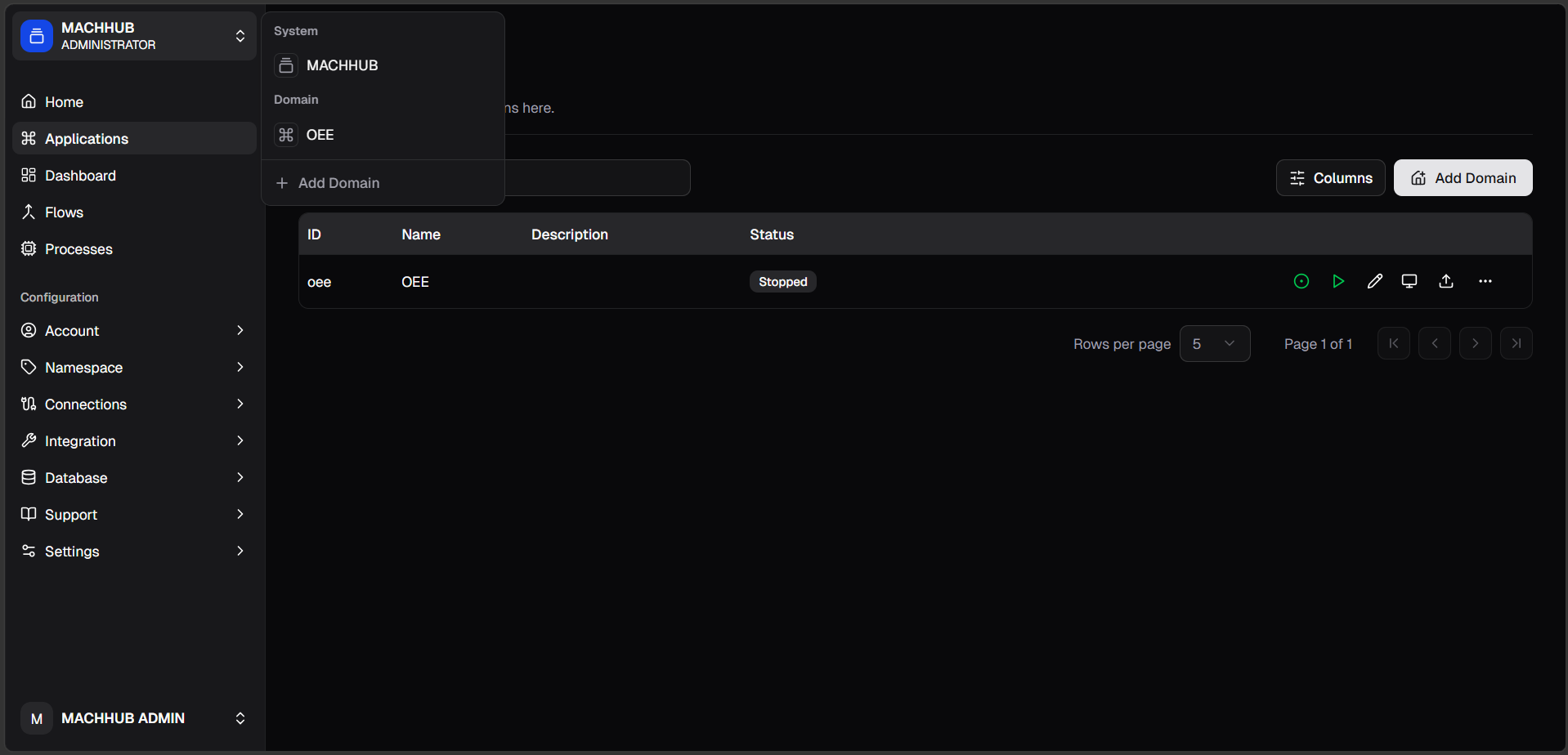
Section titled “Applications”An Application is a user-developed application — your own deployed app, with its own runtime that you can start, stop, and reach on a port (the console shows each one’s status, e.g. Running: 8080).
Today each Application is backed by an application-type domain (you can even add domains from the Applications view), so the two are closely linked. But they are distinct concepts — an Application is your deployed app, not the domain itself — and full separation of the two is planned.
Where domains show up
Section titled “Where domains show up”- Groups belong to a domain — a group’s
domain_idscopes its permissions to that tenant. - Collections and the Unified Namespace are created per domain. See Collections and Unified Namespace.
- The
Domainheader chooses which of these you read and write on each request.
Continue with the Unified Namespace, or see how permissions are scoped per domain in Authorization.