

Settings & licensing
The Settings section holds device, network, backup, and licensing configuration. It groups several pages: General, Gateway, Firewall, Network, License, Backups, Storage, and Log.
General
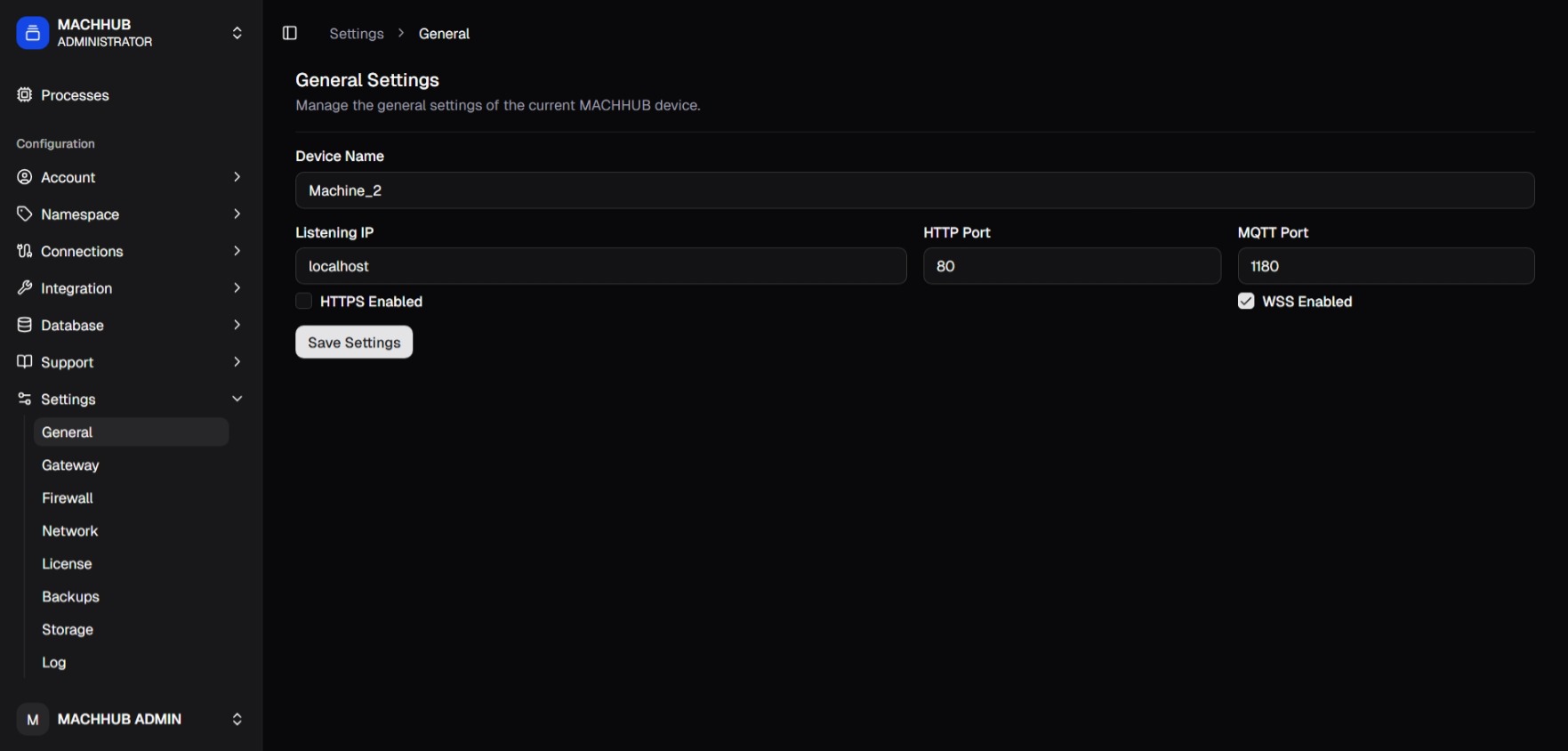
Section titled “General”Under Settings → General, configure the device:
- Device Name
- Listening IP
- Listening Port
Gateway
Section titled “Gateway”Under Settings → Gateway you configure MACHHUB’s built-in Caddy reverse
proxy. Define server blocks (listen addresses and routing directives such as
reverse_proxy, handle_path, handle, rewrite, redir, tls, and encode),
or switch to a raw custom-config mode to edit the Caddyfile directly.
Firewall
Section titled “Firewall”Under Settings → Firewall you manage the host firewall (UFW): view status and rules, open ports, and delete rules.
Network
Section titled “Network”Under Settings → Network you manage network interfaces and Wi-Fi: configure interfaces, scan/connect/forget Wi-Fi networks, and manage saved connections.
License
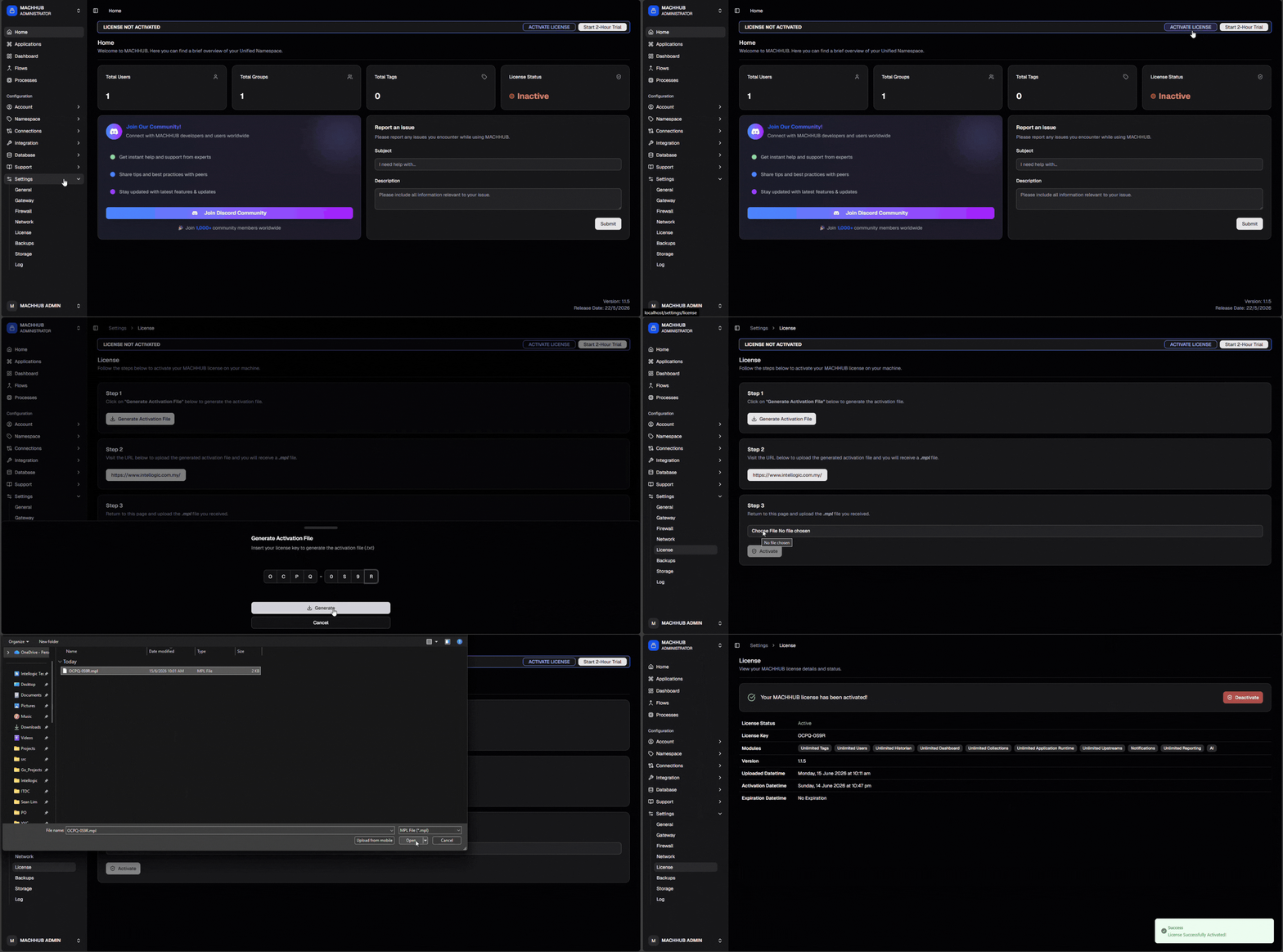
Section titled “License”Under Settings → License you can see your license status, start a free trial, or activate a license. To evaluate for free, click Start 2-Hour Trial on the banner — a 2-hour session starts with no key; re-start it (log in again) when it expires. See Licensing → Trial mode.
Activation is a short, multi-step flow:
- Enter your license key and click Generate Activation File — this produces
an activation file (
.txt) from your key and the machine’s fingerprint. - Exchange that activation file for a signed license file (
.mpl). - Upload the
.mplto activate. The status updates to Active (also reflected on the Home dashboard).
Deactivation (including trial deactivation) is available from the same page. See Licensing for the full model.
.mpl → Active.Backups & Storage
Section titled “Backups & Storage”Settings → Backups configures scheduled backups, lets you trigger a backup or restore, and lists prior backups. Settings → Storage shows disk/storage usage and can run a cleanup. See Upgrades & backups.
Settings → Log controls log retention — view and update the retention policy and prune old logs.
Related
Section titled “Related”- Concept: Licensing