

Upstreams
An Upstream is an MQTT bridge between this MACHHUB instance and another MACHHUB instance. Where the embedded broker carries tags inside a domain, an upstream connects that domain’s Unified Namespace outward — typically from an edge MACHHUB up to a central or cloud MACHHUB.
What an upstream connects to
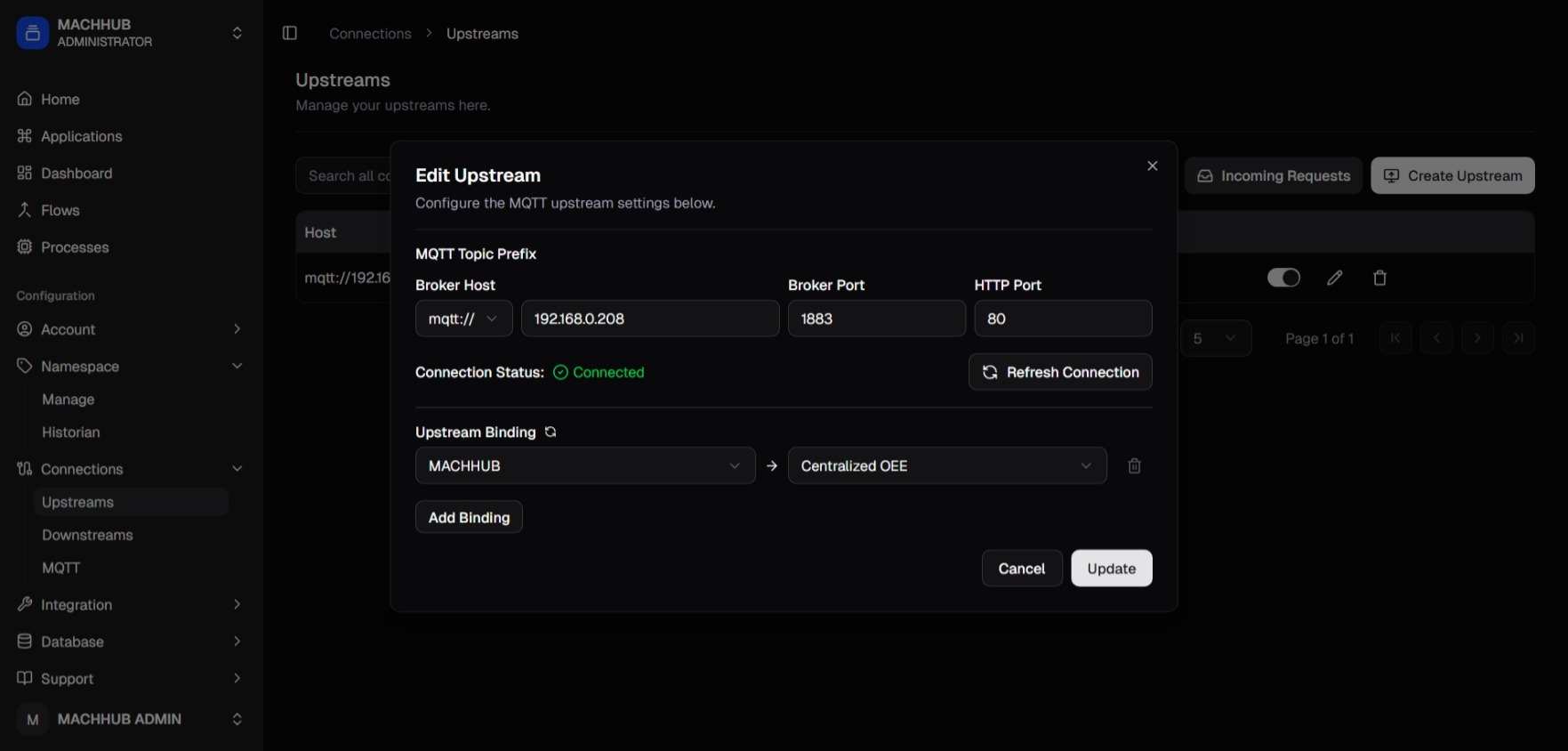
Section titled “What an upstream connects to”An upstream points at another MACHHUB instance by its connection details: the
protocol (mqtt / mqtts / ws / wss), broker host, broker port
(default 1883), and the HTTP port (default 80). There is no username or
password — instead, the connection is established by a request-and-approve
handshake between the two instances.
The instance that creates the upstream is the downstream (also called the upstream client); the instance it connects to is the upstream server.
Connecting: request and approve
Section titled “Connecting: request and approve”sequenceDiagram participant D as Downstream MACHHUB participant U as Upstream server D->>U: Request Connection (host + ports) Note over U: Incoming Requests — Pending U->>U: Accept (or Decline) U-->>D: Approved (after a short delay) Note over D: Add namespace binding, then activate
- On the downstream, create the upstream with the remote’s host and ports, then click Request Connection. The status starts as Pending until the upstream server responds.
- On the upstream server, an operator opens Incoming Requests, sees the pending request (the requester’s instance ID and source IP), and clicks Accept (or Decline).
- After a short delay, the downstream sees the upstream’s status turn Approved in the Upstreams table.
Namespace bindings
Section titled “Namespace bindings”Once approved, what mirrors over the bridge is controlled by namespace bindings. A binding maps a source namespace (a branch of a domain’s UNS on the downstream) to a target namespace on the upstream server, so the whole subtree of tags under it mirrors across. There is no per-tag rule: bind the branch and its tags mirror together.
flowchart LR
  subgraph Edge["Downstream MACHHUB"]
    UNS["Source namespace\n(your domain's UNS branch)"]
    Up["Upstream\n(approved connection)"]
    UNS -- "namespace binding\nsource -> target" --> Up
  end
  Cloud["Upstream server"]
  Up -- "MQTT bridge" --> Cloud
With a binding set, activate the connection from the downstream (the on/off toggle on the Upstreams row).
Edge-to-cloud fan-out
Section titled “Edge-to-cloud fan-out”Upstreams are how MACHHUB scales from a single machine to a fleet. Each edge instance mirrors its tags up to a central MACHHUB, so a central system sees data from many sites through one namespace:
flowchart TB
  E1["MACHHUB — Site A"] -- "upstream" --> C[("Central / Cloud MACHHUB")]
  E2["MACHHUB — Site B"] -- "upstream" --> C
  E3["MACHHUB — Site C"] -- "upstream" --> C
  C --> Apps["Central dashboards,\nanalytics, SCADA"]
Each edge site runs MACHHUB and bridges up to a central MACHHUB over MQTT with explicit topic mappings, giving one namespace across the fleet.
Managing upstreams
Section titled “Managing upstreams”In the console, upstreams live under Connections → Upstreams: create the
connection and Request Connection, Accept the request on the upstream server
(via Incoming Requests), add namespace bindings once approved, then activate
the bridge with the row toggle. Access is gated by
authorization under the upstreams feature. See
Upstreams in the console for the full walkthrough.
Continue with Authentication and Authorization, or revisit Realtime & MQTT.