

Permissions
The Permissions page is where you define the custom features, actions, and scopes that groups grant. Find it under Account → Permissions. Built-in features (Users, Groups, Upstreams, …) are always available; this page is for the user-defined ones your applications need.
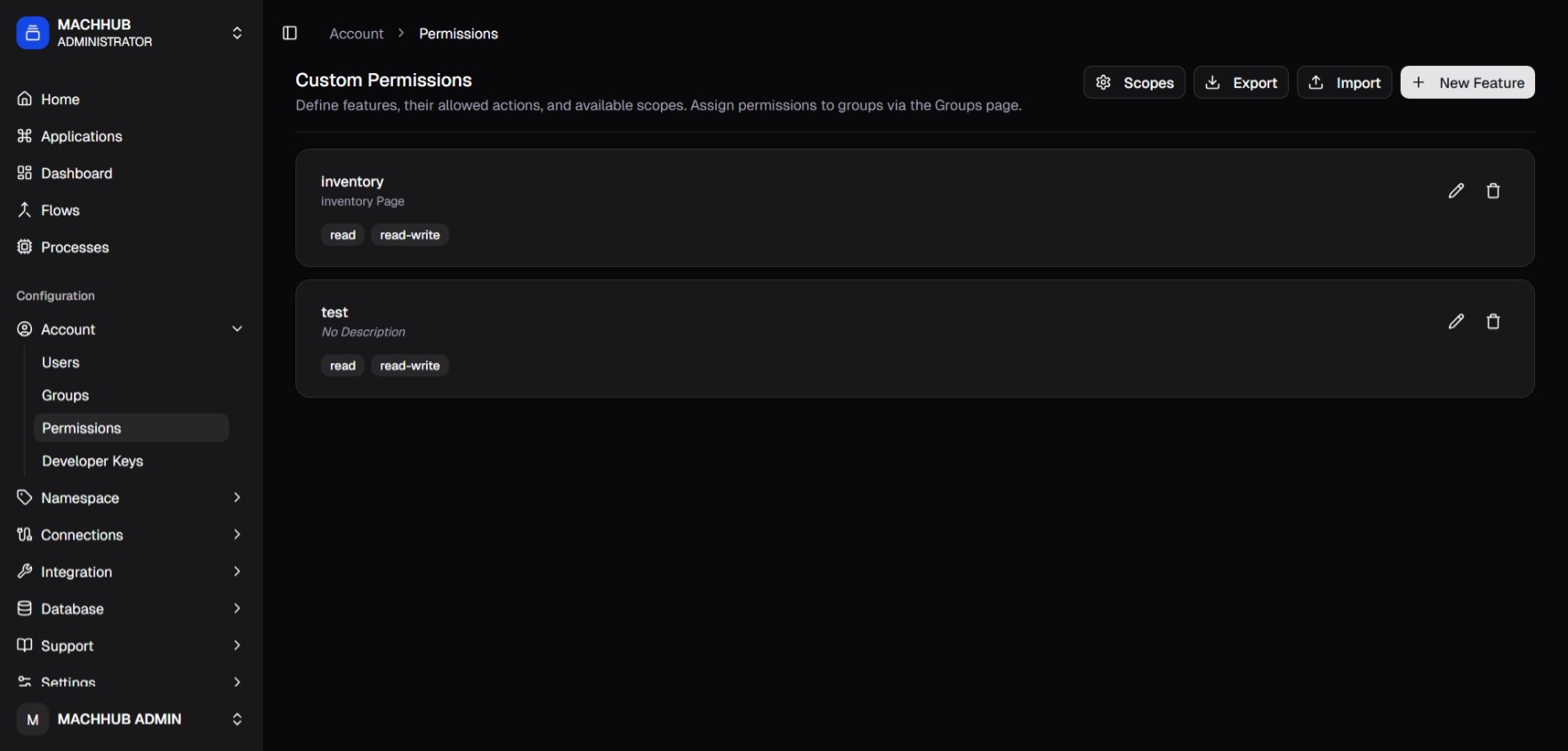
/account/permissions) — feature cards with action chips.The header reads Custom Permissions — “Define features, their allowed actions, and available scopes. Assign permissions to groups via the Groups page.” Four controls sit beside it: Scopes, Export, Import, and + New Feature.
Features
Section titled “Features”Each feature is a protected resource. Defined features appear as cards showing the
feature name, its description, and a chip per allowed action (e.g. read,
create, update, delete). Each card has edit (✏️) and delete (🗑️) actions.
Add a feature
Section titled “Add a feature”- Click + New Feature.
- Fill in the inline card:
- Feature Name — unique identifier, no spaces (e.g.
operator_panel). - Description — optional, human-readable (e.g.
Operator panel access). - Actions — type an action verb and add it; repeat for each (e.g.
read,create,update,delete,export).
- Feature Name — unique identifier, no spaces (e.g.
- Click Create. (Or Cancel to discard.)
Editing a feature lets you change its description and actions; deleting removes it.
Domain Scopes
Section titled “Domain Scopes”Click Scopes to open the Domain Scopes dialog — “Scopes are domain-wide and available for all features when assigning permissions to groups.”
Scopes narrow which records an action applies to. A domain starts with no scopes;
add the ones you need. Common ones are all (everything in the domain) and self (the
user’s own records), plus custom ones such as company or department.
- Add — type a name in the field (“e.g. company, department”) and click +.
- Remove — click the 🗑️ beside a scope.
- Close when done.
Once defined, a scope is available to every feature when you assign permissions on the Groups page.
Import & export
Section titled “Import & export”- Export downloads the current features and scopes as JSON.
- Import loads features and scopes from a JSON file. Import creates or updates only — it never deletes, so re-running an import is safe and idempotent.
See Permission JSON for the exact file shape.
How it maps to access
Section titled “How it maps to access”Features, actions, and scopes defined here become assignable in
Groups: each group grants an action:scope rule on a feature.
See Authorization & Permissions for the full model.