

Manage people under Account → Users. The page offers a grid view and a list view of all users in the current domain.
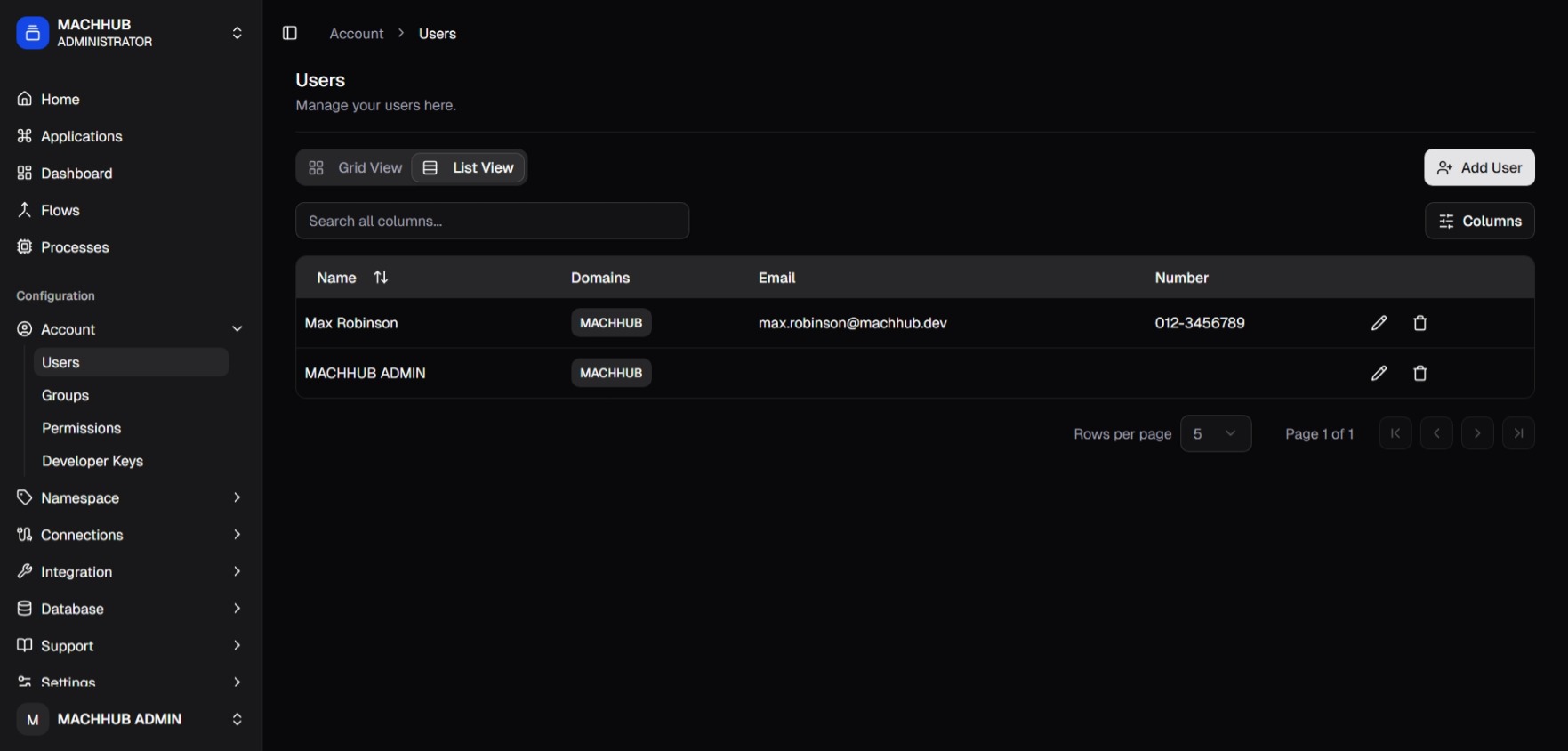
/account/users).Add a user
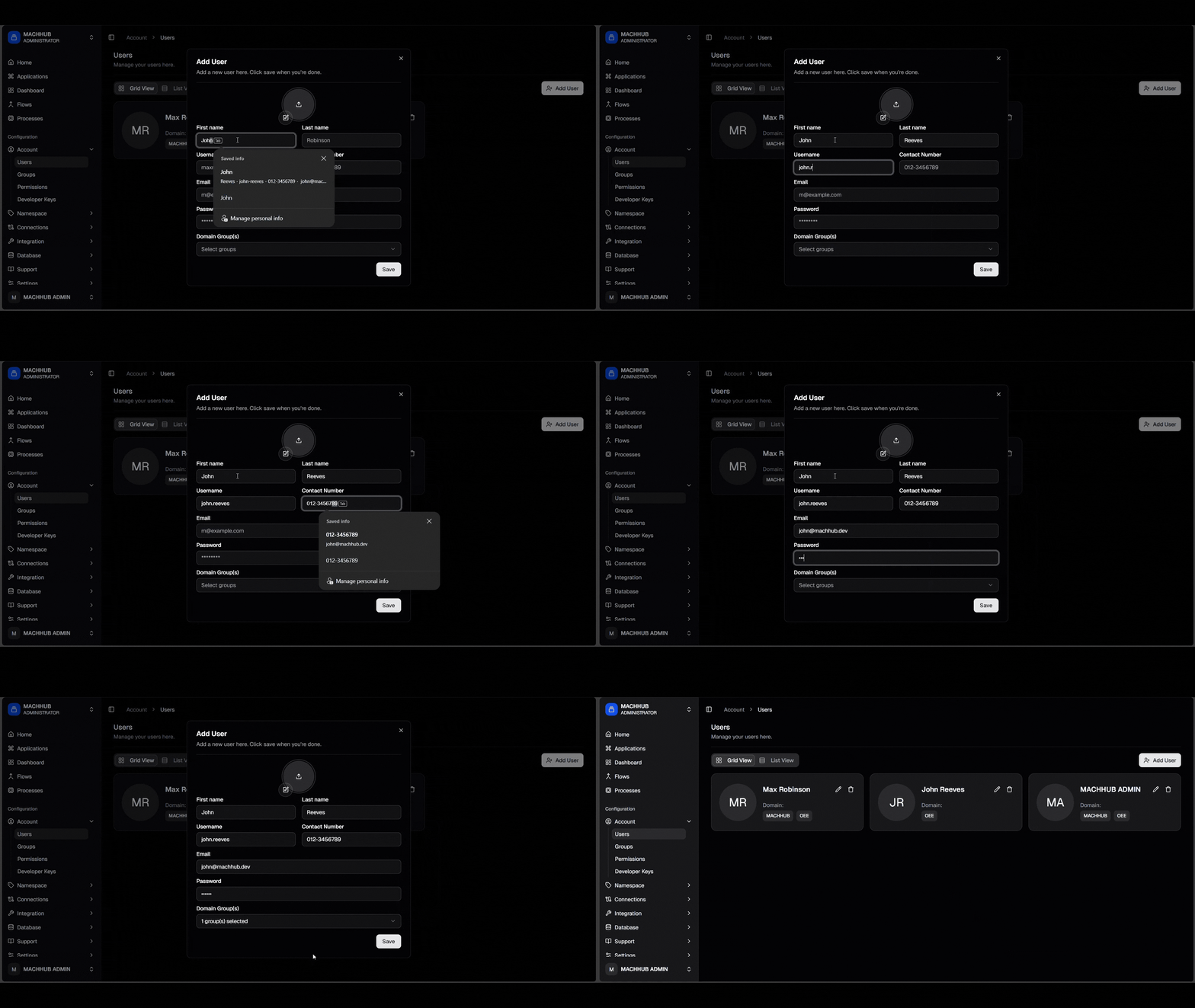
Section titled “Add a user”- Click Add User.
- Fill in the details:
- Avatar (optional image upload)
- First and last name
- Username
- Contact number
- Password
- One or more domain group(s) — this determines the user’s permissions.
- Save.
Edit a user
Section titled “Edit a user”Use a row action to edit a user’s profile. Password resets are available per user.
Permissions come from groups
Section titled “Permissions come from groups”A user’s access comes from the groups they belong to. When a user is in multiple groups in the same domain, the group hierarchy decides priority — the higher-level group wins where permissions conflict. To change what someone can do, change their group membership or the group’s permissions. See Authorization.